Teams, members and roles
Invite colleagues to a shared workspace and decide what each of them can do.
Agreements are rarely one person's business. A team is a shared workspace where colleagues see the same documents, and roles decide what each of them can change.
There are no seats to count: invite as many people as you like, at no extra cost.
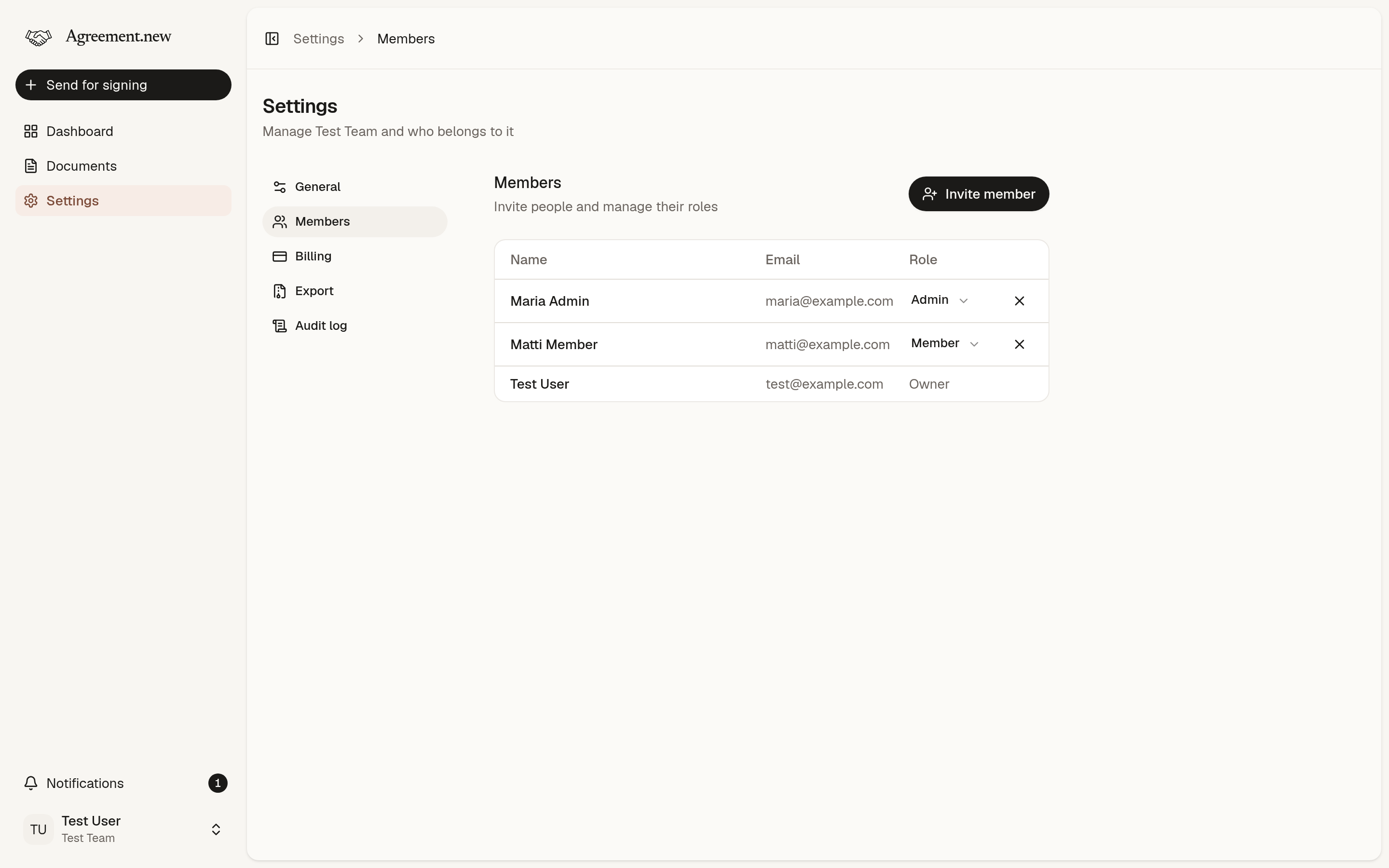
Roles
| Member | Admin | Owner | |
|---|---|---|---|
| See all the team's documents | Yes | Yes | Yes |
| Send documents for signing | Yes | Yes | Yes |
| Edit, delete and manage signing for their own documents | Yes | Yes | Yes |
| Edit, delete and manage signing for any document | Yes | Yes | |
| Export the team's documents | Yes | Yes | |
| Invite and remove members, change roles | Yes | Yes | |
| Change team settings | Yes | Yes | |
| Manage billing | Yes | ||
| See the audit log | Yes | ||
| Delete the team | Yes |
A team always has at least one owner, and can have several.
Invite a member
- Go to Settings → Members and choose Invite member.
- Enter their email address and pick a role: member or admin.
- They get an invitation by email. Once they accept, they're in.
Someone without an account creates one first, with the email address the invitation went to. To make someone an owner, invite them, then change their role after they've joined.
An invitation that hasn't been accepted yet can be cancelled.
Change a role or remove a member
Owners and admins can change a member's role on the Members page, up to their own role, and remove members from the team.
A removed member loses access to the team at once. Their documents stay with the team.
Document owners
Every document has an owner, at first the person who uploaded it. The owner can rename it, delete it and manage its signing. The owner also gets the notifications about it.
To hand a document over, open it and pick a new owner. The current owner can do this, and so can admins and owners of the team.
Team settings
Under Settings → General, owners and admins can set:
- Team name: the name everyone in the team sees.
- Timezone: deadlines end at the end of the day in this timezone, and automatic reminders go out during its office hours.
- Default days to sign: the deadline new documents start with. Senders can change it for each document, up to 180 days.
Several teams
You can belong to more than one team, for example one for each company you work with. Switch between them from the team menu in the sidebar, where you can also create a new team. Each team has its own documents, members and subscription.
Delete a team
An owner can delete the team under Settings → General. This removes the team and its documents for everyone, so export what you want to keep first. See Signed documents and your archive.
Didn’t find what you were looking for? Email hello@agreement.new and we’ll help.